See the screens. Then try your own service.
Venditas is restaurant billing software for India. Here are the real table, counter and kitchen screens, using sample data. No signup needed to look around.
Or start your 30-day free trial. No card. After the trial: ₹3 per paid bill, plus applicable taxes.
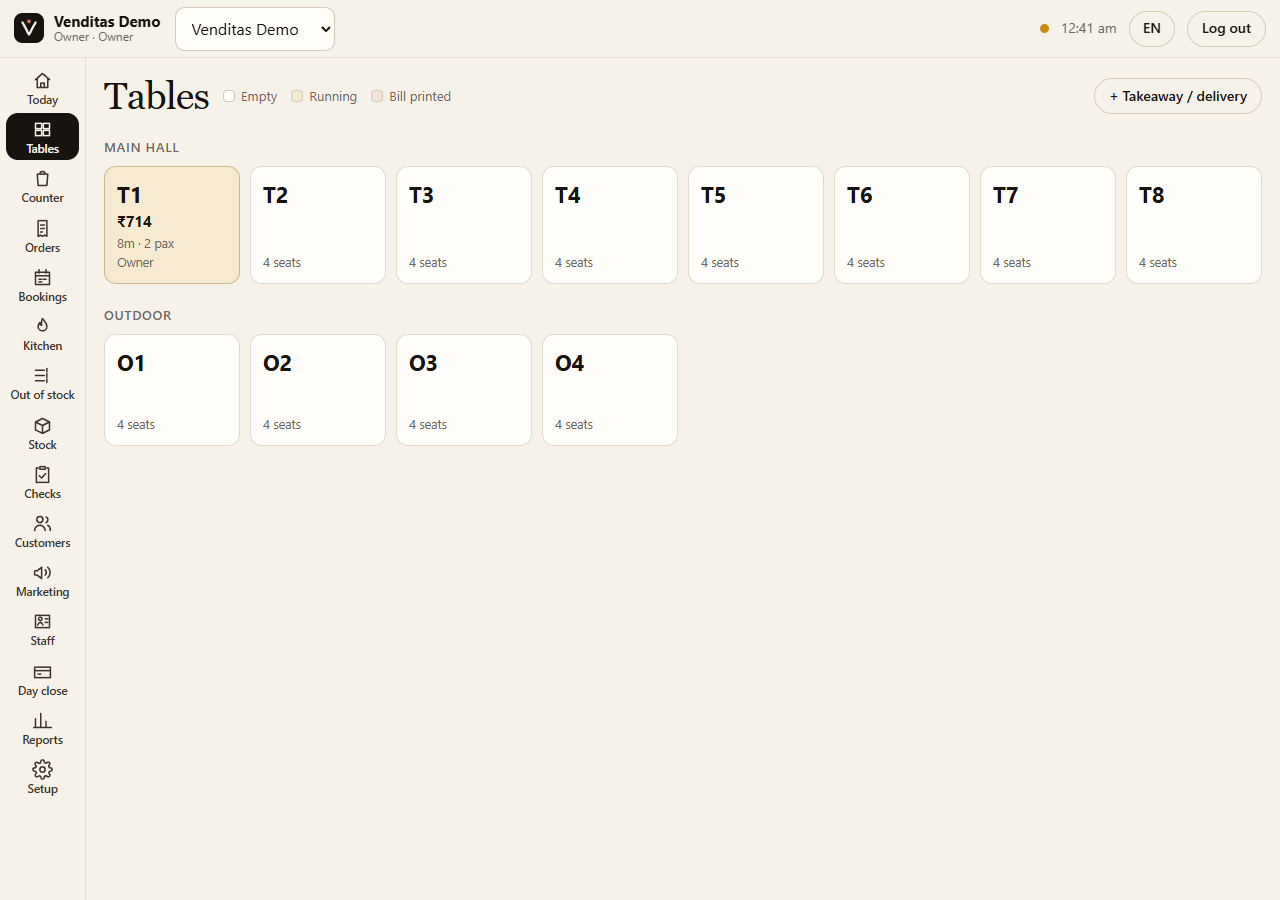
1. See which tables are running
Staff open a table to take an order. The floor shows empty tables, running orders and bills already printed.
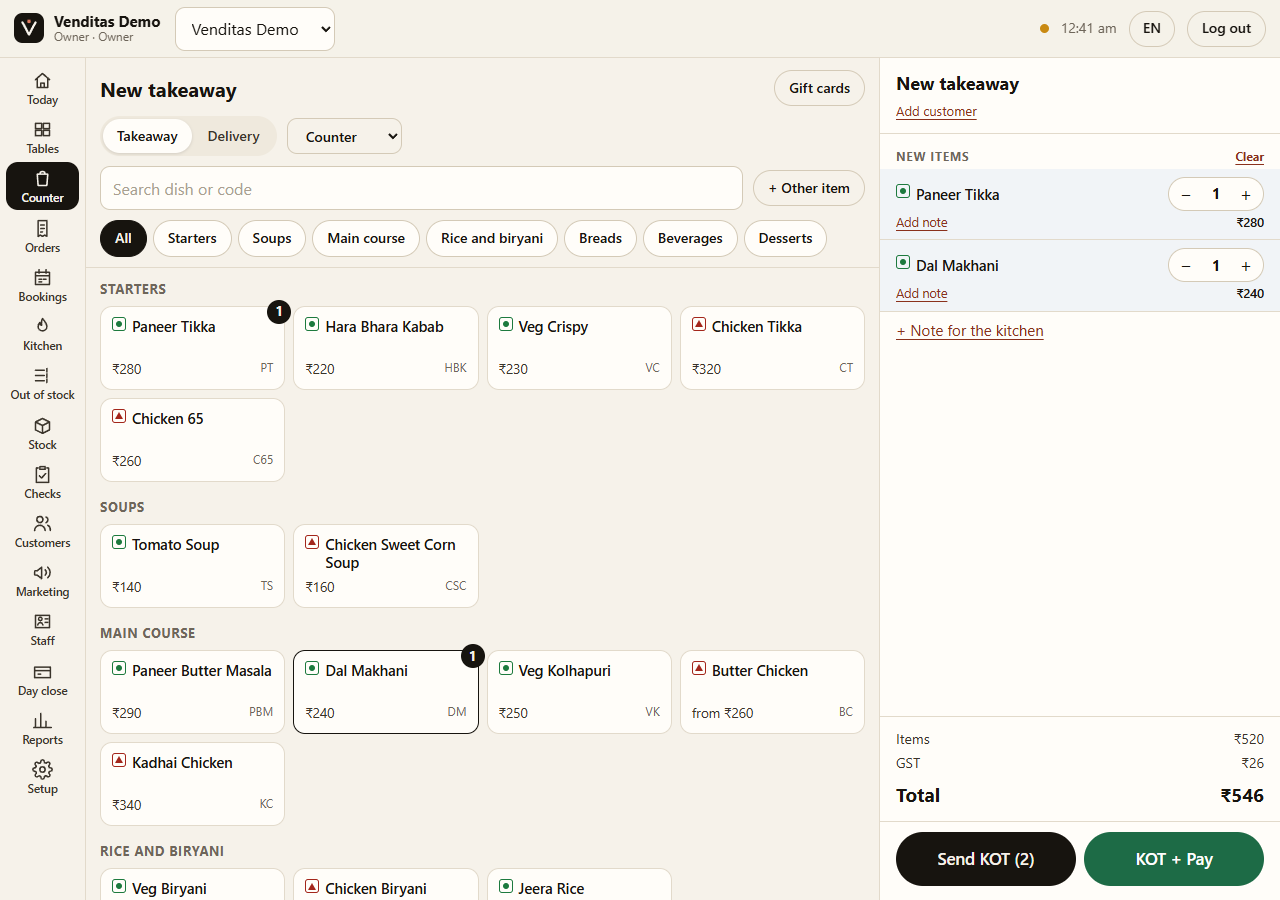
2. Add dishes at the counter
Tap dishes from your menu, send a KOT and take payment. Table orders and takeaway orders use the same menu. Bill details and taxes follow the outlet’s settings.
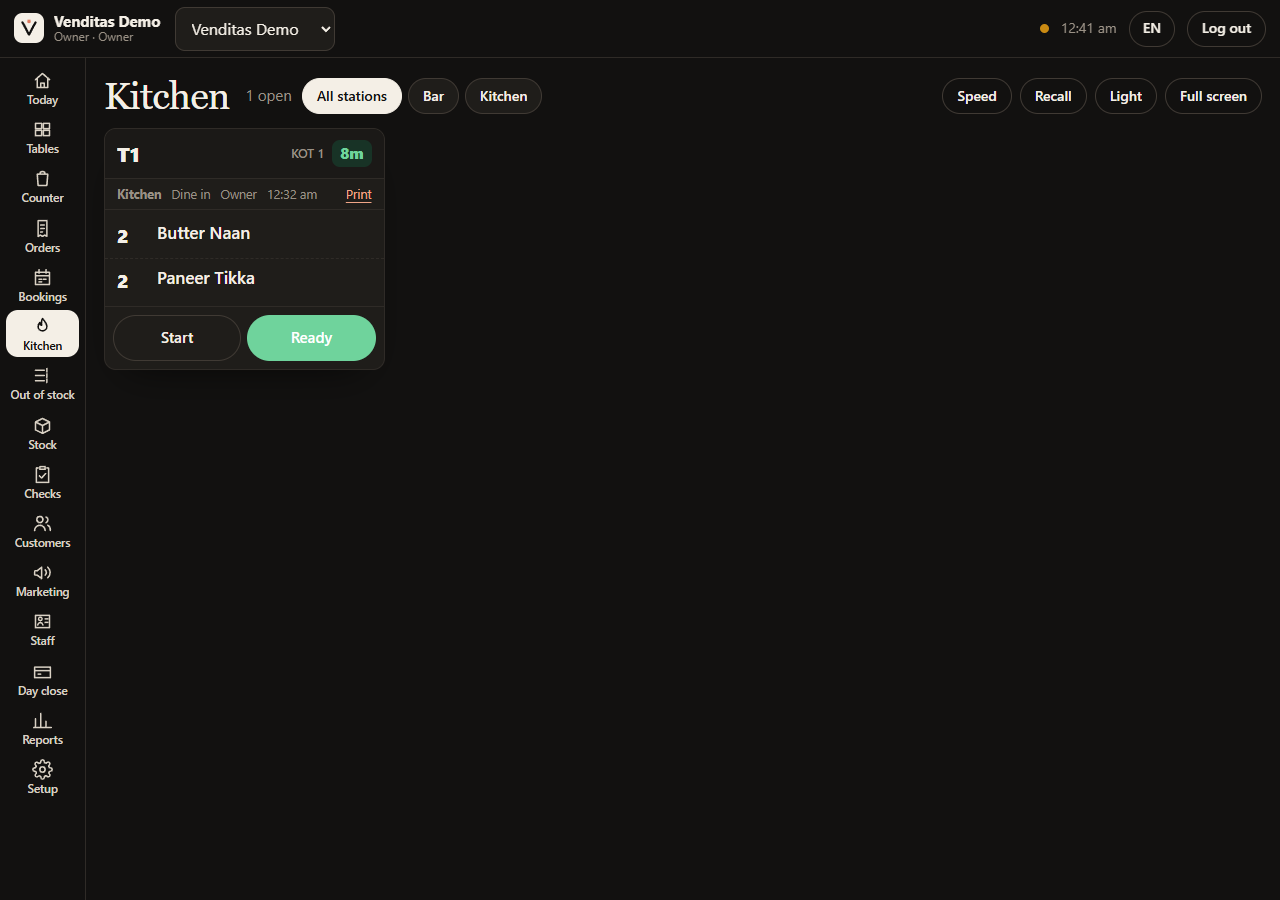
3. Follow the KOT in the kitchen
The kitchen sees quantities, the table and how long the ticket has been waiting. Staff mark it started or ready. You can use a screen, printed KOTs, or both. See how KOTs work.
Bring these to your demo
- Your restaurant type, city and usual paid bills per day.
- Your menu and printer model, if you have them.
- One awkward order: an extra naan, a cancelled dish, a split payment, or a regular who pays later.
We’ll show that workflow and work out the monthly cost. We help with setup and staff training; setup is free for the first 100 restaurants.
Check the fit before switching
Use reliable internet for live updates between staff devices. Swiggy and Zomato orders need manual entry; automatic integration is not available. Venditas does not process card or UPI payments: guests pay you through your own payment setup.
There is no monthly price cap. At 50 paid bills a day for 30 days, the fee is ₹4,500 plus applicable taxes. Compare that with your current costs.
Quick answers
Can I see Venditas before signing up?
Yes. The screenshots on this page show the real POS with sample data. You do not need an account to view them. For a live walkthrough, message the founders on WhatsApp or book a call.
Can I try the POS myself?
Yes. Open Start free, sign in with an email code, create your restaurant and choose the sample menu. Your 30-day trial starts when you sign up. You can then try an order and a bill.
What should I check in the demo?
Try your own service: an order from a captain’s phone, a KOT, an extra item, a cancelled item, a split payment, your printer and the closing cash tally. Check your monthly cost at your actual paid-bill count before switching.
See it with your restaurant in mind.
Ask the founders to show an order, a KOT and a bill on a call. Tell us your bill count and printer model; we’ll work out the cost and setup with you. 30 days free, then ₹3 per paid bill. First 100 restaurants: we set it up for you, free.